Enterprise server hardware plays an important role in supporting business applications, databases, virtualization, file storage, and enterprise IT infrastructure. Choosing the right server system requires more than comparing processor speeds or memory capacity. Businesses must evaluate performance, reliability, storage architecture, scalability, security, and long-term operating costs.
Several types of enterprise server solutions are available, including rack servers, tower servers, blade systems, and specialized infrastructure platforms. Each option serves different deployment requirements.
For businesses comparing enterprise server hardware, the most practical approach is to begin with workload requirements, evaluate hardware specifications, and compare manufacturer configurations using consistent purchasing criteria.
What Is Enterprise Server Hardware?
Enterprise server hardware refers to physical computing systems designed to support business-critical applications, centralized IT operations, data processing, and shared infrastructure services.
Unlike a typical desktop computer, enterprise server systems are designed around operational requirements such as expandability, remote administration, component redundancy, storage flexibility, and continuous infrastructure management.
Depending on the configuration, a business server can support several applications, including:
- Database management systems
- Enterprise resource planning (ERP) software
- Customer relationship management (CRM) platforms
- Virtual machines and private cloud infrastructure
- Business file storage and document management
- Web applications and internal business systems
- Data analytics and high-performance computing workloads
The appropriate hardware configuration depends on the applications being deployed, the number of users, expected workloads, and future infrastructure requirements.
A server designed for file storage, for example, may prioritize storage capacity and network connectivity. A virtualization host may require greater memory capacity, processor resources, and high-speed storage.
Types of Enterprise Server Hardware
Choosing the right server form factor is one of the first decisions in an infrastructure purchasing process.
The main categories include rack servers, tower servers, blade servers, and specialized systems.
1. Rack Servers
Rack servers are designed to fit into standardized server racks, allowing multiple systems to share an organized infrastructure environment.
They are commonly used in data centers, corporate server rooms, hosting environments, and larger enterprise deployments.
Key characteristics include:
- Standardized rack-mounted chassis
- Multiple available rack heights, depending on the model
- Options for different processor and memory configurations
- Storage and networking expansion capabilities
- Centralized physical infrastructure management
Advantages of Rack Servers
Rack server hardware makes it easier to organize multiple systems in a dedicated server environment. Businesses can deploy additional servers within available rack capacity and manage power, networking, and physical infrastructure from a centralized location.
Rack-mounted systems are also useful for organizations that need consistent equipment layouts and structured infrastructure management.
Limitations of Rack Servers
Rack deployments require suitable cabinets, mounting rails, power distribution, cooling, and physical access planning. High-density installations also require careful thermal and power management.
Best suited for:
- Medium and large businesses
- Data centers
- Enterprise virtualization
- Hosting infrastructure
- Multi-server deployments
2. Tower Servers
Tower servers use a standalone chassis that resembles a traditional desktop tower computer but is designed for server workloads.
They can be useful for businesses that need centralized computing resources without building a dedicated rack infrastructure.
Key characteristics include:
- Standalone physical chassis
- No standard server rack required
- Different processor and storage configurations
- Expansion options determined by the chassis
- Deployment flexibility for office environments
Advantages of Tower Servers
Tower servers can be easier to deploy in small office environments where rack infrastructure is unavailable.
They are also suitable for branch offices and organizations that need dedicated business server equipment without operating a large server room.
Limitations of Tower Servers
Multiple tower systems can occupy more floor space and may be less convenient to organize than rack-mounted infrastructure.
Best suited for:
- Small and medium-sized businesses
- Branch office infrastructure
- Local file servers
- Smaller database deployments
- Dedicated business applications
3. Blade Servers
Blade servers use modular computing units installed inside a shared chassis.
Instead of treating every server as a completely independent physical installation, organizations can consolidate multiple compute modules within a common infrastructure platform.
Key characteristics include:
- Modular server architecture
- Shared chassis infrastructure
- Centralized power and cooling arrangements
- Consolidated physical deployment
- Enterprise-oriented management capabilities
Blade systems can be appropriate for organizations with established data center operations and a clear need for modular compute density.
However, shared infrastructure creates platform dependencies. Buyers should evaluate chassis costs, networking requirements, management software, compatibility, and future expansion before choosing this architecture.
4. Specialized Enterprise Servers
Some applications require more specialized hardware than traditional general-purpose servers.
Examples include:
| Server Category | Typical Application |
|---|---|
| GPU Servers | AI, machine learning, and accelerated computing |
| High-Memory Servers | Large databases and memory-intensive workloads |
| Storage Servers | High-capacity data storage |
| Edge Servers | Computing close to remote devices and operations |
| HPC Servers | Scientific and engineering workloads |
Specialized systems may require different processor architectures, accelerator support, cooling capacity, power delivery, and networking capabilities.
The hardware configuration should be selected according to the application’s actual requirements rather than assuming that a more specialized system is automatically better.
Essential Components of Enterprise Server Systems
Understanding the core components is important when comparing business server equipment.
1. Central Processing Unit (CPU)
The processor determines how a server executes applications and processes workloads.
Enterprise server platforms commonly offer processor options from manufacturers such as Intel and AMD.
Examples include:
- Intel Xeon processor families
- AMD EPYC processor families
When comparing CPUs, evaluate:
- Number of processor cores
- Number of supported CPU sockets
- Clock frequency
- Cache capacity
- Memory bandwidth
- Processor power requirements
- Virtualization capabilities
- Platform compatibility
A database workload with demanding single-thread performance requirements may need a different processor configuration from a highly parallel computing workload.
Therefore, comparing processors solely by core count can produce misleading purchasing decisions.
2. Random Access Memory (RAM)
Server memory supports running applications, databases, virtual machines, and operating system processes.
Insufficient memory can limit application performance and prevent businesses from running additional workloads efficiently.
Important considerations include:
- Installed memory capacity
- Maximum supported memory
- DIMM slot availability
- Supported memory generation
- Memory speed
- ECC support
- Registered or load-reduced DIMM compatibility, where applicable
For virtualization environments, memory capacity and available expansion slots can be particularly important because multiple virtual machines share the host’s physical memory resources.
Buyers should also determine how many memory slots are already occupied and how much capacity can be added later.
3. Enterprise Storage Systems
Storage architecture affects data access, application performance, and available capacity.
Enterprise servers may support different combinations of storage devices.
| Storage Type | Common Characteristics |
|---|---|
| HDD | Large-capacity storage, commonly used for bulk data |
| SATA SSD | Solid-state storage using SATA interfaces |
| SAS SSD | Enterprise storage option using SAS connectivity |
| NVMe SSD | High-speed solid-state storage using NVMe technology |
The best choice depends on workload characteristics.
For example, applications with frequent random data access may benefit from high-performance SSD or NVMe configurations, while large archival datasets may prioritize storage capacity.
Other important factors include:
- Drive bay count
- Hot-swap support
- Storage controller compatibility
- RAID capabilities
- Drive endurance
- Available storage expansion
- Boot drive configuration
RAID can help maintain data availability under certain drive failures, but it should not be treated as a replacement for an independent backup strategy.
4. Network Connectivity
Network connectivity determines how efficiently a server communicates with users, storage systems, and other infrastructure components.
The required network configuration depends on data transfer patterns and the surrounding network architecture.
Consider:
- Network interface controller (NIC) capability
- Ethernet port speeds
- Number of available ports
- PCIe expansion capacity
- Redundant connectivity
- Network adapter compatibility
- Support for required networking protocols
A business running multiple virtualization hosts may have different connectivity requirements from an office file server.
Network bandwidth should therefore be evaluated alongside storage performance and application traffic.
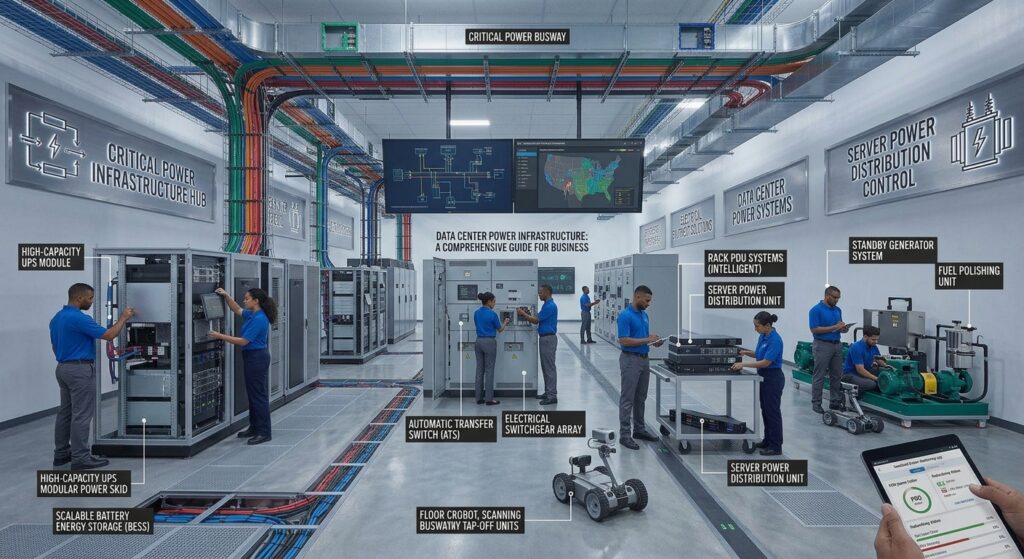
5. Power Supply and Cooling
Enterprise server hardware generates heat and requires suitable power infrastructure.
Depending on the model, manufacturers may offer redundant power supplies and replaceable cooling fans.
Before purchasing, verify:
- Power supply capacity
- Supported input voltage
- Redundant power configurations
- Cooling requirements
- Airflow direction
- Operating temperature specifications
- Compatibility with existing power distribution equipment
A server may support a particular processor or accelerator configuration but still require additional power and cooling capacity at the facility level.
This is especially important for high-density deployments.
Enterprise Server Manufacturers: Comparing the Major Platforms
Several manufacturers offer enterprise server hardware for different business requirements.
Three widely recognized product families worth including in an initial procurement shortlist are Dell PowerEdge, HPE ProLiant, and Lenovo ThinkSystem.
1. Dell PowerEdge
Dell PowerEdge includes rack and tower server platforms designed for different enterprise computing environments.
Its product portfolio includes options for different processor configurations, rack heights, and workload requirements.
Dell also provides iDRAC for remote server management, including remote access and administration features.
Important evaluation considerations include:
- Available CPU configurations
- Storage and memory options
- iDRAC management features and licensing
- Power and cooling requirements
- Hardware warranty and service coverage
Official product information: https://www.dell.com/en-us/shop/poweredge/sr/servers
2. HPE ProLiant
HPE ProLiant is an enterprise server family covering multiple deployment types and computing requirements.
Its portfolio includes rack and tower server platforms with different hardware and feature configurations.
HPE also offers iLO remote management capabilities, which can help administrators monitor and manage server hardware remotely.
Important evaluation considerations include:
- Exact server generation
- Supported processor and memory configurations
- HPE iLO remote management capabilities
- Firmware security features
- Hardware expansion
- Support and maintenance options
Official product information: https://www.hpe.com/us/en/compute.html
3. Lenovo ThinkSystem
Lenovo ThinkSystem provides server platforms for general enterprise computing, data centers, and specialized infrastructure.
The portfolio includes rack servers, tower servers, edge systems, and other workload-oriented configurations.
Important evaluation considerations include:
- Processor platform compatibility
- Memory and storage expansion
- XClarity management capabilities
- Chassis configuration
- Enterprise support services
Official product information: https://www.lenovo.com/us/en/servers-storage/thinksystem/
Enterprise Server Manufacturer Comparison
| Evaluation Criteria | Dell PowerEdge | HPE ProLiant | Lenovo ThinkSystem |
|---|---|---|---|
| Rack Servers | Yes | Yes | Yes |
| Tower Servers | Yes | Yes | Yes |
| Remote Management | iDRAC | iLO | XClarity |
| Product Range | Multiple configurations | Multiple generations | Multiple platforms |
| Workload Options | General and specialized | General and specialized | General and specialized |
This table compares portfolio characteristics, not benchmark performance or reliability rankings. Specific availability, capabilities, licensing, and supported configurations must be verified for the exact model.
Important Features to Evaluate Before Buying
Beyond the main hardware specifications, several operational features can significantly affect the suitability of an enterprise server.
Remote Management Capabilities
Remote management allows administrators to monitor and control server hardware without always requiring physical access.
Examples include:
- Dell iDRAC
- HPE iLO
- Lenovo XClarity Controller
Some management platforms provide remote console access, hardware monitoring, inventory information, firmware administration, and power controls.
Management capabilities and licensing can differ by model and configuration.
The Distributed Management Task Force (DMTF) also provides the Redfish specification, a standardized REST-based management interface designed to support server and infrastructure management.
Hardware Redundancy
Redundancy helps reduce the effect of certain hardware component failures.
Depending on the server model, relevant features may include:
- Redundant power supplies
- Replaceable cooling fans
- Hot-swap storage drives
- Memory error detection and correction
- Multiple network interfaces
- Supported RAID configurations
However, redundant components do not eliminate every potential source of downtime.
Businesses should also consider application architecture, backups, monitoring, and disaster recovery.
Firmware and Hardware Security
Server security should extend beyond the operating system.
Important hardware-related capabilities include:
- Secure Boot support
- TPM 2.0 availability
- Firmware update protection
- Secure remote management
- Access control for management interfaces
- Firmware monitoring and recovery mechanisms
Firmware security is especially important for enterprise environments because unauthorized firmware changes can affect the integrity of the underlying platform.
Businesses should review the security features available on the exact server model and follow manufacturer recommendations for firmware maintenance.
Scalability and Expansion
A server should support realistic future business requirements.
Review:
- Maximum supported memory
- Additional storage bays
- CPU upgrade options
- PCIe expansion slots
- Network adapter upgrades
- GPU compatibility
- Power and thermal capacity
A system with a lower initial purchase price may become more expensive if future expansion requires replacing the entire platform.
How to Choose the Right Enterprise Server Hardware
There is no universal server configuration that works equally well for every business.
The following evaluation process can help narrow the options.
Step 1: Identify the Primary Workload
Start by documenting the applications and services that the server must support.
| Workload | Important Hardware Priorities |
|---|---|
| Business Applications | Balanced CPU, memory, and storage |
| Virtualization | Memory capacity, CPU resources, and fast storage |
| Database Systems | Memory, storage latency, and CPU performance |
| File Storage | Drive capacity, storage redundancy, and network connectivity |
| Web Hosting | CPU, memory, storage, and network throughput |
| AI Workloads | GPU compatibility, power, and cooling |
| Backup Infrastructure | Storage capacity and network throughput |
Avoid selecting specifications before identifying the actual workload.
Step 2: Determine the Appropriate Form Factor
Choose a server design that fits the physical environment.
A tower system may be appropriate for an office without a dedicated server rack.
A rack system may be preferable for businesses operating multiple servers and centralized infrastructure.
Blade systems require a different procurement approach because their shared chassis introduces additional infrastructure considerations.
Step 3: Compare Processor and Memory Configurations
Create a shortlist of compatible server platforms and compare their CPU and RAM configurations.
Do not compare processor models using only their advertised frequency or core count.
Review the supported memory architecture, maximum installed capacity, and upgrade possibilities.
Step 4: Evaluate Storage and Networking
Determine the required storage capacity, data access performance, and network throughput.
Consider whether the platform supports the necessary drive types, controllers, network adapters, and expansion components.
Step 5: Review Management and Security
Check whether hardware management features meet the organization’s operational requirements.
Review remote administration licensing, firmware update processes, management interface security, and platform security features.
Step 6: Calculate Long-Term Costs
Compare the complete cost of deploying and operating each server.
This includes infrastructure and operational costs, not just the quoted hardware price.
Understanding Enterprise Server Total Cost of Ownership
The purchase price is only one part of the overall investment.
A useful total cost of ownership (TCO) evaluation considers expenses throughout the deployment lifecycle.
| Cost Category | Items to Evaluate |
|---|---|
| Hardware | Server chassis, CPU, RAM, storage |
| Infrastructure | Rack, rails, cables, PDUs |
| Power | Electricity and power distribution |
| Cooling | Facility cooling requirements |
| Software | Operating systems, hypervisors, and licenses |
| Maintenance | Warranty, support, and replacement parts |
| Expansion | Additional memory, storage, and networking |
| Operations | Administration and monitoring |
Two server configurations should be compared using equivalent hardware specifications, support periods, licenses, and included services.
A lower purchase quote does not necessarily represent a lower long-term cost.
Businesses should request comparable quotations from multiple suppliers before making a final purchasing decision.
Common Mistakes When Purchasing Enterprise Server Systems
Several purchasing mistakes can create unnecessary costs or operational limitations.
1. Choosing a Server Based Only on CPU Specifications
A high-core-count processor does not automatically make a server suitable for every application.
Processor performance must be evaluated in relation to the intended workload.
2. Underestimating Memory Requirements
Insufficient RAM can limit virtualization, database applications, and other memory-intensive workloads.
Businesses should estimate current and future memory requirements before choosing a configuration.
3. Ignoring Storage Performance
Storage capacity alone does not determine application performance.
Drive interfaces, latency, endurance, and controller capabilities also matter.
4. Overlooking Physical Infrastructure
Rack dimensions, power requirements, cooling, and maintenance access should be reviewed before delivery.
5. Ignoring Remote Management Licensing
Some advanced management capabilities may depend on specific hardware options or software licensing.
Buyers should verify which features are included in the quoted configuration.
6. Comparing Different Server Configurations
A meaningful vendor comparison requires equivalent CPU, memory, storage, connectivity, warranty, and support specifications.
Otherwise, the purchasing decision may be based on incomplete or misleading price comparisons.
7. Treating Redundancy as a Complete Backup Strategy
Redundant components can improve availability, but separate backups and recovery planning remain essential.
Businesses should maintain an appropriate backup strategy based on their recovery requirements.
Conclusion
Enterprise server hardware is an important investment for organizations building or expanding their IT infrastructure.
The right solution depends on workload requirements, processor performance, memory capacity, storage architecture, network connectivity, physical deployment, and long-term operating costs.
Dell PowerEdge, HPE ProLiant, and Lenovo ThinkSystem provide useful starting points when developing a shortlist of enterprise server solutions. However, choosing between them requires evaluating specific configurations rather than relying on manufacturer names alone.
Before purchasing, compare equivalent specifications, verify hardware compatibility, review management and security capabilities, and calculate the total cost of ownership.
A well-planned procurement process helps businesses select enterprise server systems that meet present requirements while providing a practical path for future infrastructure growth.
Frequently Asked Questions
1. What is enterprise server hardware?
Enterprise server hardware refers to physical computing systems designed to support business applications, centralized data processing, virtualization, storage, and other enterprise IT workloads.
2. What is the difference between rack servers and tower servers?
Rack servers are designed for standardized server cabinets and centralized infrastructure. Tower servers are standalone systems that can be deployed in office environments without dedicated server racks.
3. Which enterprise server brands are commonly evaluated by businesses?
Dell PowerEdge, HPE ProLiant, and Lenovo ThinkSystem are three major enterprise server product families that businesses can include in their procurement comparisons.
4. How much RAM does an enterprise server need?
Memory requirements depend on workload, user demand, application architecture, and virtualization requirements. Buyers should calculate expected memory consumption and future expansion rather than choosing a universal RAM capacity.
5. Are enterprise rack servers better than tower servers?
Neither is universally better. Rack servers are generally suitable for centralized, expandable infrastructure, while tower servers can be practical for standalone office deployments.
6. What processor should an enterprise server use?
Intel Xeon and AMD EPYC are common enterprise processor families. The correct choice depends on exact processor specifications, supported platform configurations, application requirements, and overall cost.
7. What is remote server management?
Remote server management allows administrators to monitor, configure, and administer hardware through management interfaces such as iDRAC, iLO, and XClarity.
8. What should businesses compare before purchasing enterprise server hardware?
Important considerations include CPU, memory, storage, networking, expansion capacity, security, remote management, power consumption, warranty, and total cost of ownership.
References
- Dell PowerEdge: https://www.dell.com/en-us/shop/poweredge/sr/servers
- HPE Compute: https://www.hpe.com/us/en/compute.html
- Lenovo ThinkSystem: https://www.lenovo.com/us/en/servers-storage/thinksystem/
- DMTF Redfish: https://www.dmtf.org/standards/redfish
- NIST SP 800-193: Platform Firmware Resiliency Guidelines
- Microsoft Learn: Windows Server documentation